How To Use The Website · Lesson 1
How to get a login and password
1 / 8
View All
How To Use The Website · Lesson 1
Introduction - How To Login
🛑
Must be a paid member
Only open to paid members
😃
Simple to do
Here's a quick overview, then the following slides will show exactly what to do
1
Go to the website
LeContePhotographicSociety.org (where you currently are)
2
Click the Members menu item
3
Login page opens ... Click the link
"Forgot your password?"
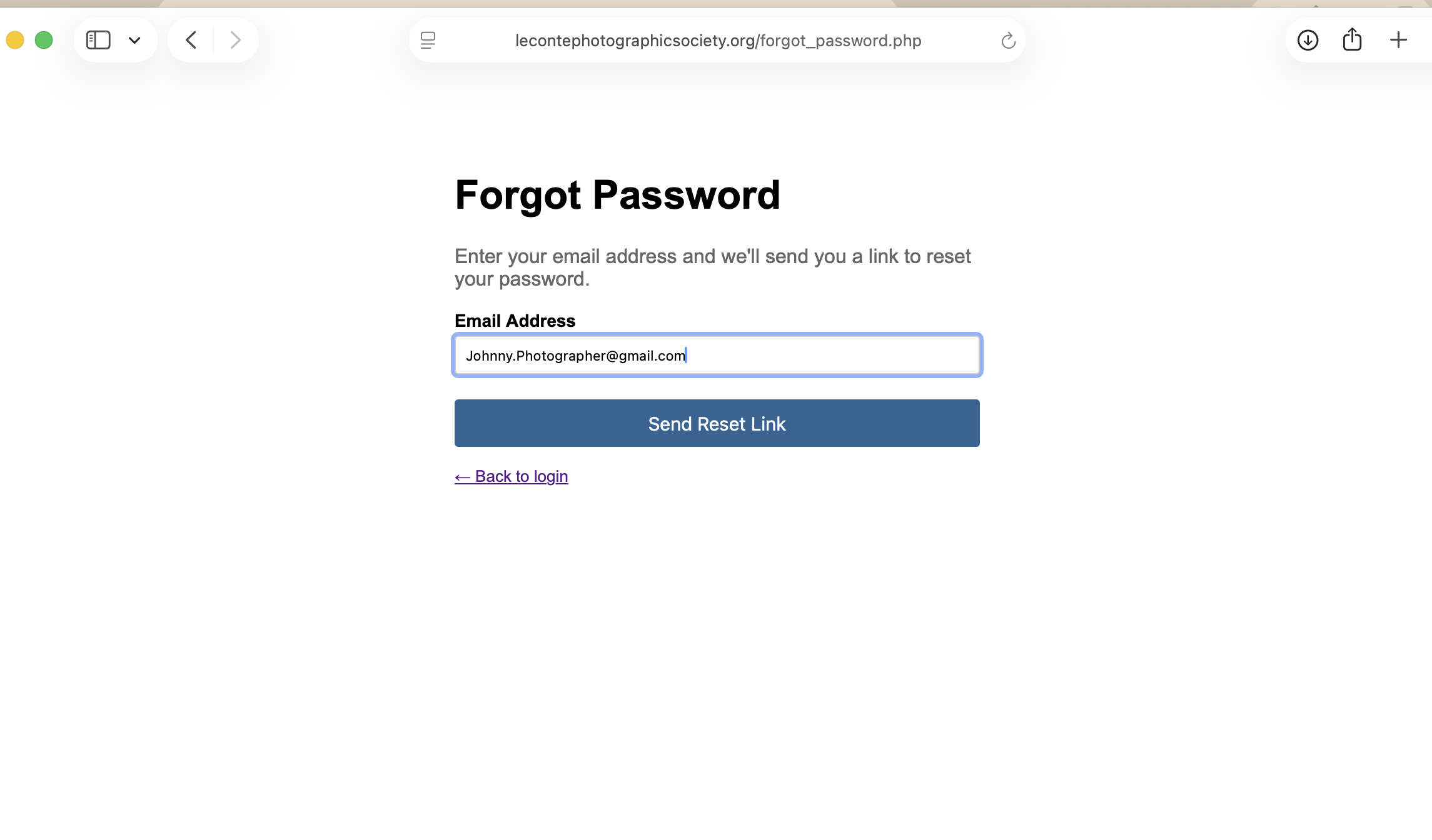
4
Forgot Password page opens
enter the email address you registered with the club and click the button
5
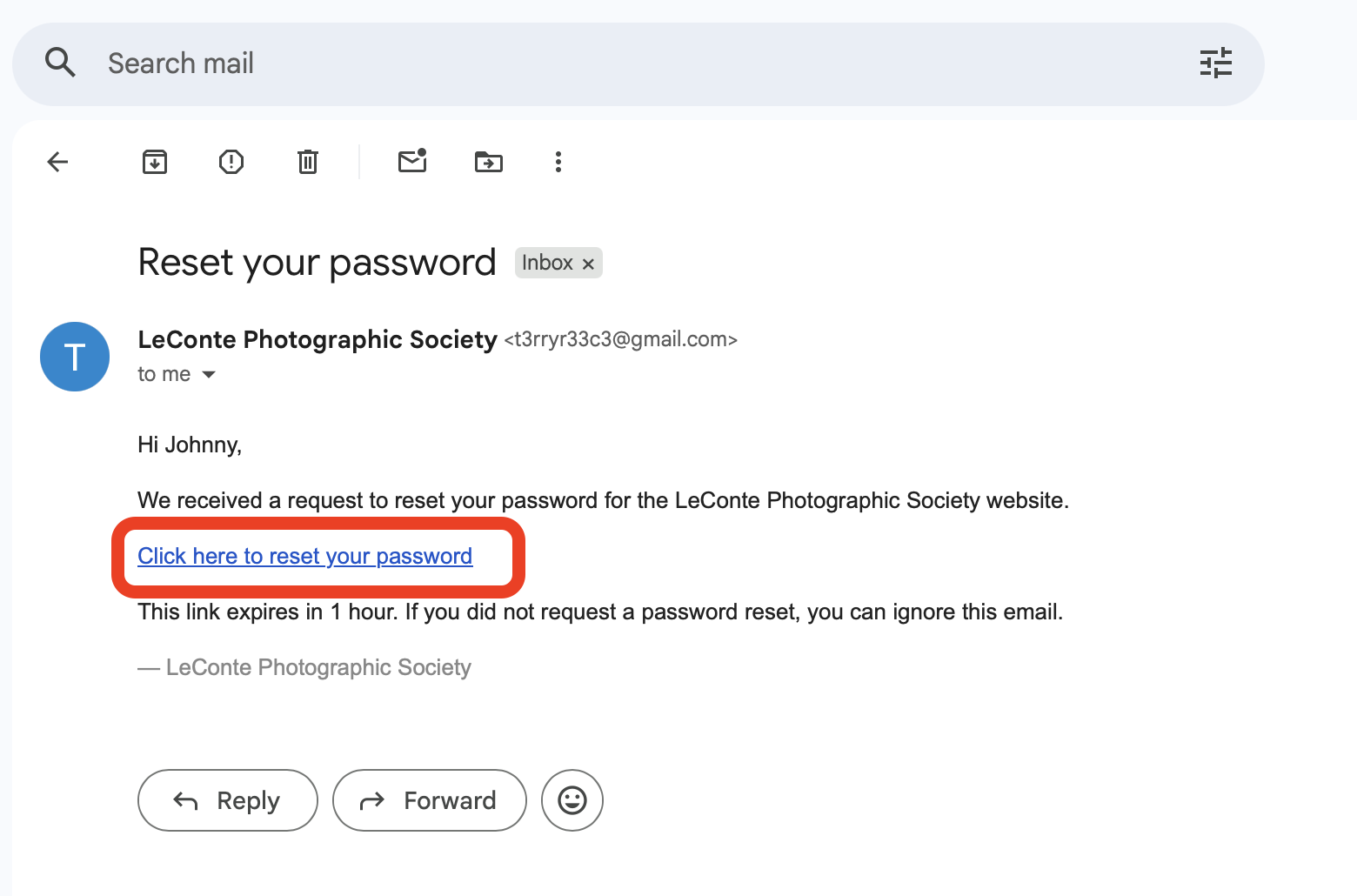
Check your email
Open the "Reset Your Password" email. Click the "Click here to reset your password" link in the email
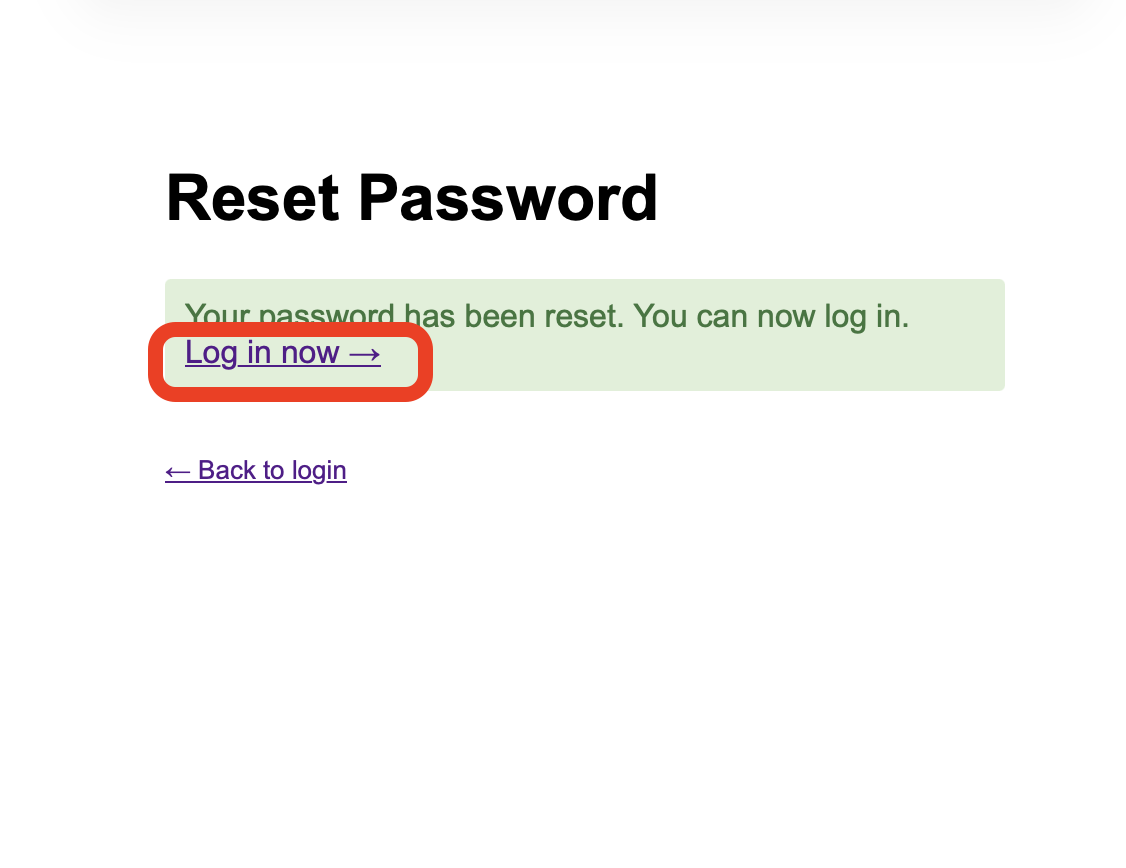
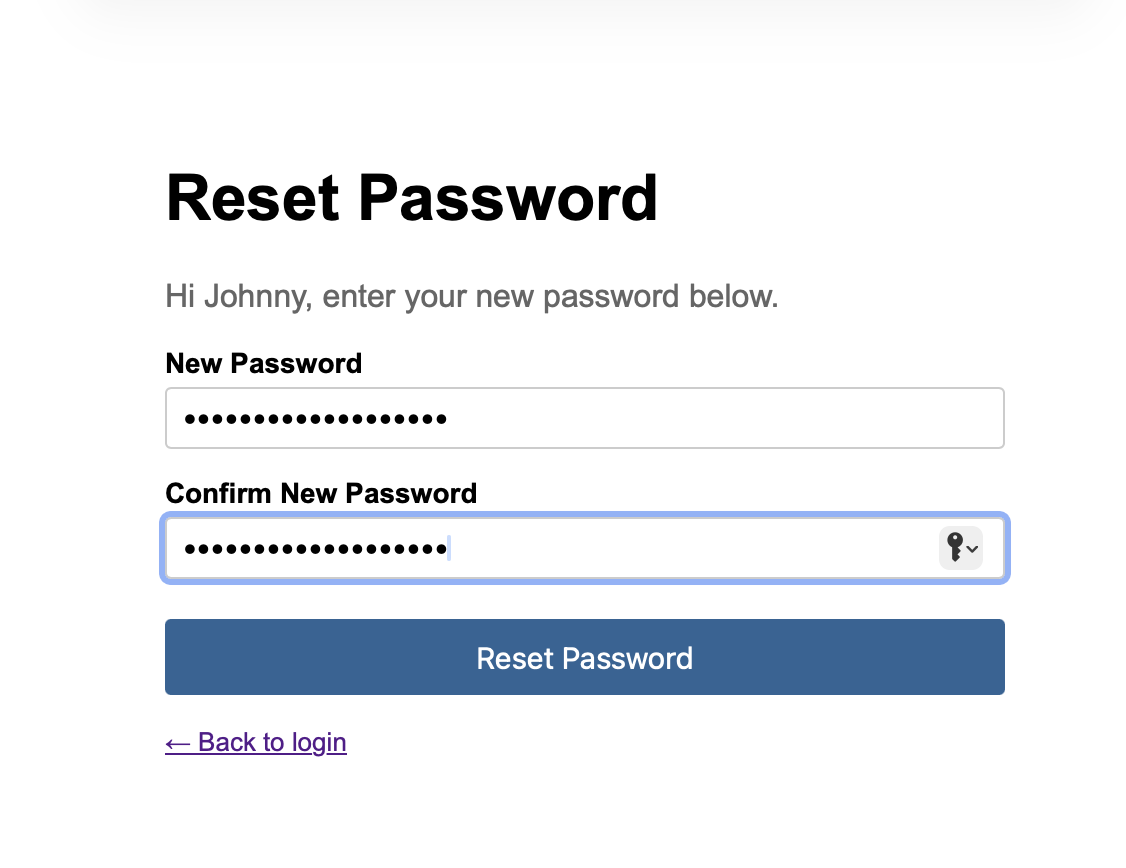
6
Reset Password page opens
Enter your new password, Click the Reset Password button. THEN click the link to "Log in now "
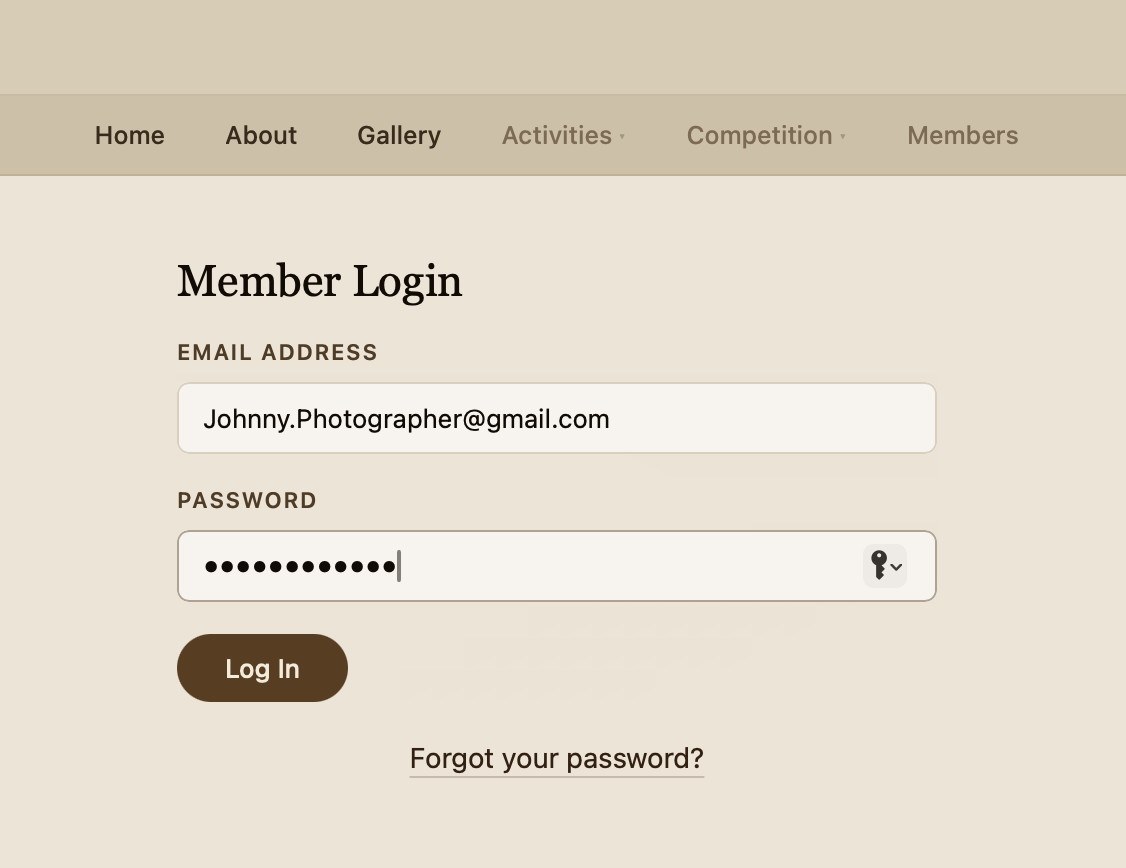
7
Log in
Log in with your email and new password!
How To Use The Website · Lesson 1
Let's Get Started!
1️⃣
Go to the website
LecontePhotographicSociety.org
2️⃣
Click the Members menu item
It's the far right menu item
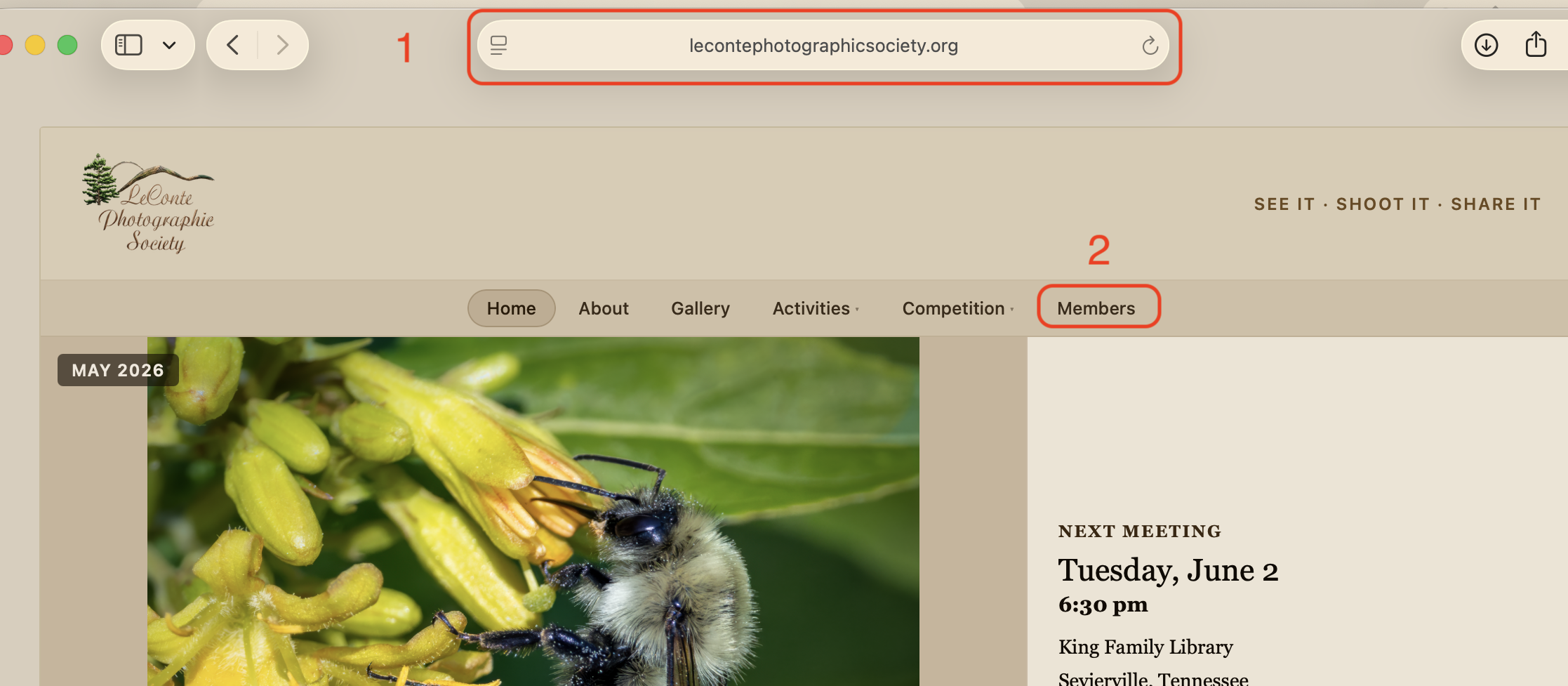
lecontephotographicsociety.org
How To Use The Website · Lesson 1
Member Login Page
3️⃣
Click the "Forgot your password?" link
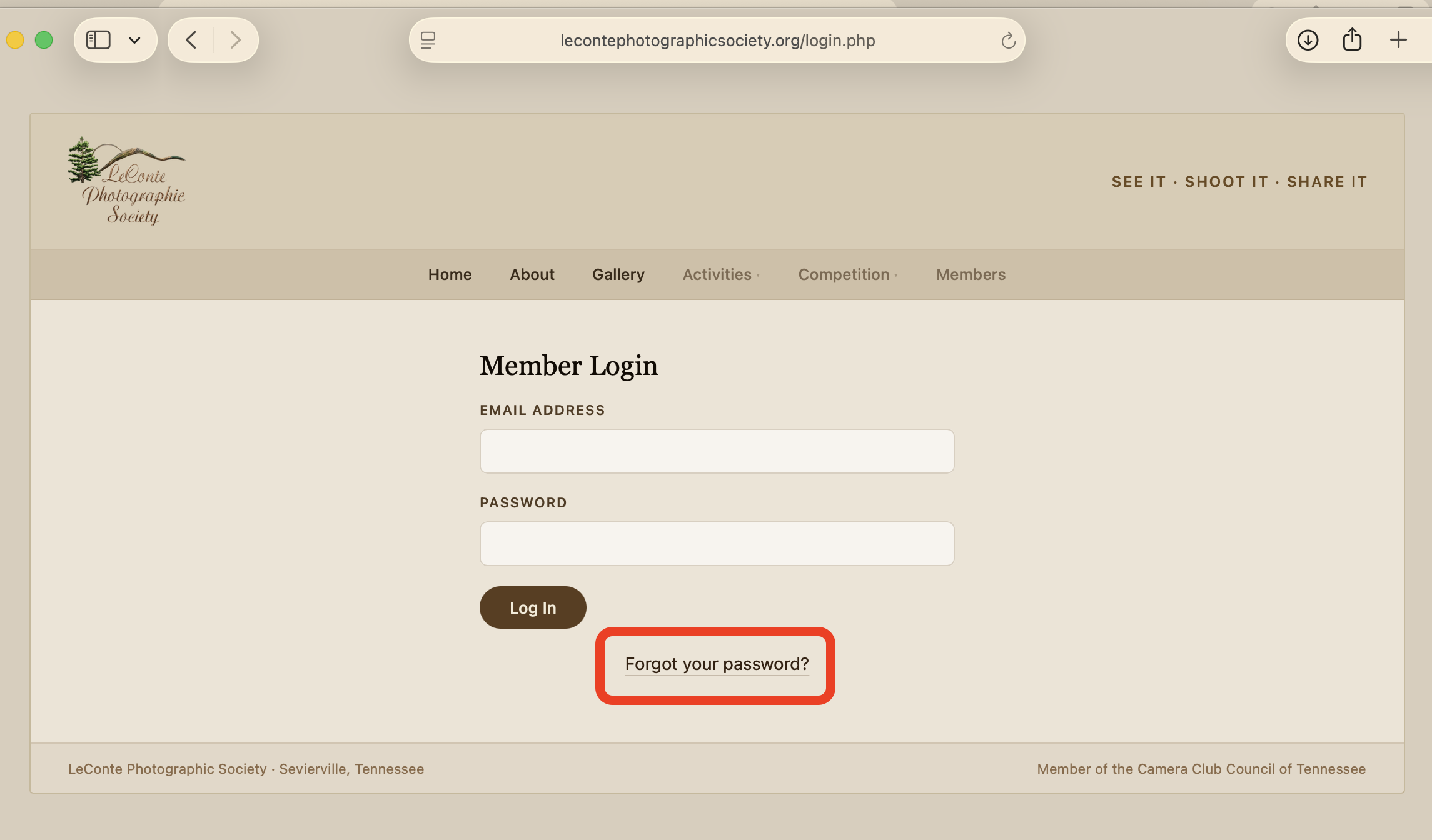
lecontephotographicsociety.org
How To Use The Website · Lesson 1
Forgot Password Page
4️⃣
Enter your email address
This is the address you have on file with the club
🟦
Click the Send Reset Link button
lecontephotographicsociety.org
How To Use The Website · Lesson 1
Check Your Email
5️⃣
Open the Reset your password email
lecontephotographicsociety.org
🟦
Click the "Click here to reset your password" link
How To Use The Website · Lesson 1
Reset Password Page
6️⃣
Enter your new password - Then click the Reset Password button
These are encrypted and there's no way for the web dudes to see them.
lecontephotographicsociety.org
🟦
Click the "Log in now" link
How To Use The Website · Lesson 1
Member Log In Page
7️⃣
Enter your email and password and click "Log In"
lecontephotographicsociety.org
How To Use The Website · Lesson 1
Done!!!
UP NEXT
Checkout the lesson on uploading photos
This lesson teaches how to use the members page to submit photos for the monthly competition.
⌂ Index
← Prev
Next →